3D games have become popular in recent years. However, it is easy to produce a symptom when playing games, called 3D discomfort or motion sickness.
3D 게임은 최근 몇 년 동안 인기를 얻고 있습니다. 그러나 게임을 할 때 3D 불편함 또는 멀미라고 불리는 증상이 생기기 쉽습니다.
Your brain knows you are sitting still, but the sensory input from watching the screen conflicts with that information and suggests movement. As a result, symptoms like nausea, dizziness, headaches, and other discomforts can occur.
뇌는 당신이 가만히 앉아 있다는 것을 알고 있지만, 화면을 보면서 받는 감각 입력이 그 정보와 충돌하며 움직임을 암시합니다. 그 결과, 메스꺼움, 현기증, 두통 및 기타 불편한 증상이 나타날 수 있습니다.
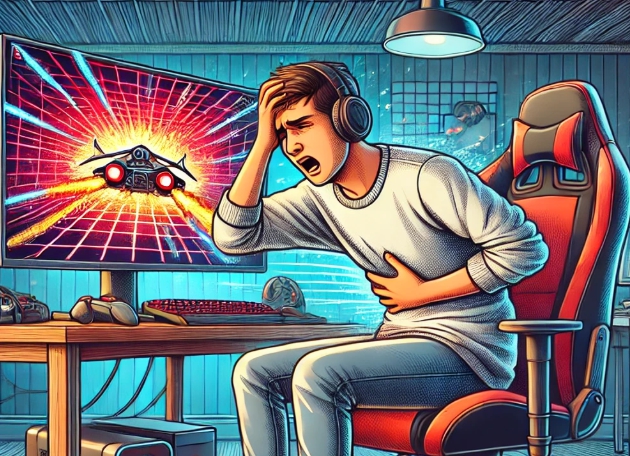
Causes of Motion Sickness in 3D Games
Visual-vestibular conflict: Your eyes see motion in the game, but your body is still, causing a mismatch between what you see and feel.
Field of view (FOV): A wide or narrow FOV can distort visuals, increasing discomfort.
Poor frame rate or lag: Irregular motion on screen can confuse your brain.
Camera movement: Sudden or unnatural in-game camera movements can trigger nausea.
3D 게임 멀미의 원인
시각-전정기관 충돌: 게임 화면에서 움직임이 보이지만 몸은 정지 상태이기 때문에, 보는 것과 느끼는 것 간에 불일치가 발생합니다.
시야각(FOV): 너무 넓거나 좁은 시야각은 왜곡을 유발하여 불편함을 증가시킬 수 있습니다.
낮은 프레임 속도 또는 렉: 화면의 불규칙한 움직임이 뇌를 혼란스럽게 합니다.
카메라 움직임: 갑작스럽거나 부자연스러운 게임 내 카메라 움직임이 멀미를 유발할 수 있습니다.
How to Prevent Motion Sickness in 3D Games
It's a good idea to turn off screen shake in addition to motion blur.
To reduce the intensity of screen movement, you can not only lower the mouse sensitivity but also widen the field of view (FOV).
Increasing your monitor's refresh rate is another effective option.
Since individual preferences vary, there's no universal solution, so trying different methods is highly recommended!
모션 블러 외에도 화면 흔들림을 끄는 것이 좋습니다.
화면 움직임의 강도를 줄이기 위해 마우스 감도를 낮추는 방법뿐만 아니라 시야각(FOV)을 넓히는 방법도 가능합니다.
모니터의 주사율을 높이는 것도 효과적인 선택입니다.
사람마다 선호가 다르기 때문에 보편적인 해결책은 없으니 다양한 방법을 시도해보는 것을 강력히 추천합니다!
 홈 > 영어컨텐츠 > Today's Issue